Contents
Businesses face myriad cyberthreats every day. Malware developers are constantly creating new ways to evade traditional defenses, including antivirus software, firewalls, intrusion prevention systems (IPS), mail and web gateways. Such malware can be detected by sandboxes, which form a particular class of solutions. Sandboxes run files in an isolated virtual environment, analyze its actions, and issue a verdict that answers the all-important question: is the file safe or not? This text is about the threats we look for (and find!) with the help of a sandbox, one of the most important tools to protect a company.
Materials and methods
We studied the results of 18 pilot projects of PT Sandbox that were carried out in the second half of 2021 and the first half of 2022. We chose only those pilot projects whose purpose was to demonstrate the detection of real threats. Most of the projects were conducted at industrial enterprises, but our study also includes pilot projects at financial, media, government, and medical institutions. On average, each pilot project took a month.
One of the main tasks of PT Sandbox is to detect malware delivered by attackers to the infrastructure and downloaded by employees through negligence or lack of information security awareness. We analyzed data on malware found in organizations' infrastructures. Files were sent to the sandbox for inspection automatically from network traffic, email, or manually uploaded via a web interface. In total, more than 1,800 malicious files were detected.
Almost half of the samples were found in email traffic: criminals most often chose to spread malware by email. A third of all malicious files were extracted from network traffic, and one in five was found in shared folders and storages, or was manually downloaded for scanning via a web interface.
Malicious files—what are they like?
Executable (.exe) files were the most common: they accounted for 52% of malware found in emails and 46% of malicious files extracted from network traffic. This malware could mimic ordinary work documents, imitating files with information about orders or payment. In 27% of cases, however, a different format (.pdf, .xls) was specified in the file name. For example, the files swift copy.pdf.exe and TNT Shiping Document.pdf.exe were, in fact, the Trojans Agent Tesla and Formbook. If the OS is set to "hide file extensions," users may be misled as to the actual file format.
Files with the extensions .html and .htm accounted for 17% of all detected malware and were mostly found in emails (28%): these could be fake forms for entering personal data or credentials. For example, we repeatedly encountered files named E-Contact Form.html If an email contained a link to a file, the sandbox loaded it for scanning. , which contained links to fraudulent web resources. By filling out the form, users hand their personal data or credentials to the cybercriminals, who can use it to carry out attacks.
Files with the extensions .doc (also .docx, .docm) and .xls (.xlsx, .xlsm) were also quite common (15%), because these are the extensions of Office documents and spreadsheets. Such files were detected both in email and network traffic, as well as in shared folders.
More than half of the files found in shared folders or downloaded via a web interface had .ps1 or .com extensions. Some of these files were downloaded manually, because their extensions could make administrators suspicious. Other files found in shared folders could have been used by attackers to spread malware across the network and move laterally inside.
The analyzed files ranged in size from 15 bytes to 8 MB, but smaller ones were more common. A quarter of all the detected files were of size 10 KB or less, and 10% of them from 3 to 4 KB. Most of the files of size 10 KB or less had the extensions .html (fake authentication forms) or .doc (most often contained malware downloaders).
Common malware classes and families
The detected malware samples represented different classes of malicious files:
- Trojans. These are programs that can perform malicious actions on devices. They are not capable of self-reproduction and often penetrate the system under the guise of legitimate software. Depending on their functions, Trojans include spyware, password stealing ware, downloaders and droppers, exploits, backdoors, banking Trojans, DDoS bots, ransomware Trojans; in addition, we encountered Trojans with no particular attribution.
- Viruses and worms. These malicious programs can create copies of themselves and spread across the network; they can also have Trojan functions.
- Malicious tools. Auxiliary software for performing certain types of attacks. An example is penetration testing tools.
- Riskware (potentially unwanted software). Legitimate programs that attackers can use to harm the victim's system.
Trojans accounted for the overwhelming majority of the detected malware, 91%.
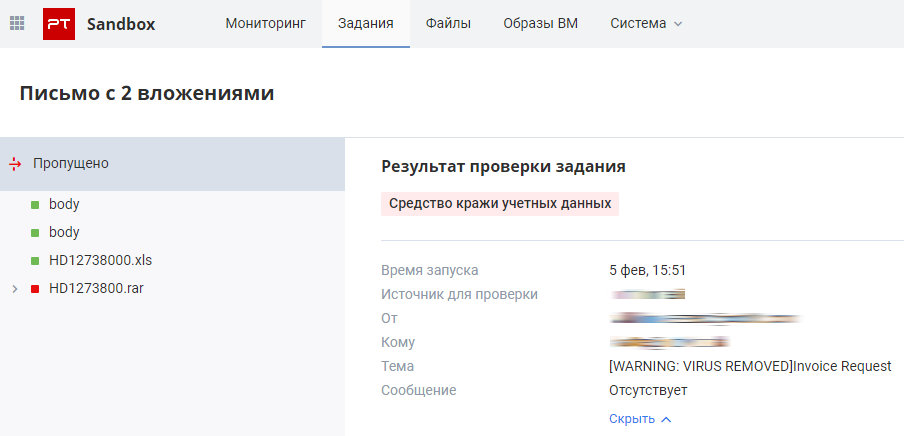
Most of the detected malware samples were spyware (32%)—programs that can track user activity and pass this information to attackers. They can intercept keystrokes, take screenshots, steal credentials stored in applications, and collect personal information such as email addresses and payment card data.
Password stealing ware accounted for 21% of the detected malware. These programs resemble spyware Trojans, but their main functions are to intercept and compromise user credentials. The malware samples also included multiple fake input forms, accounting for 16% of all the detected files. These forms contain scripts that send the entered information to attackers; they are usually used to steal credentials. Seven percent of the samples were penetration testing tools; attackers typically use them to gain a foothold in the victim's system and pursue an attack within the infrastructure. Note that penetration testing software is not malicious per se: it is legitimate software that is distributed openly, allowing criminals to take advantage of it. RATs (backdoors) accounted for 4% of the detected malware. RATs are programs that provide attackers with remote access to a user's computer, allowing them to control an infected system. Droppers and downloaders (3% each) are used to spread other malware, such as ransomware. Exploits—malicious software that exploit software and hardware vulnerabilities—were detected in 2% of cases.
The "Other" category included banking Trojans, computer worms, viruses, rootkits, DDoS bots, potentially unwanted software, and Trojans without particular attribution.

The sandbox verdict for a single malware family can be different, since it depends on the functionality of the modules running at scan time and on the danger posed by the detected malware functions. For example, different samples of the Agent Tesla malware family could be detected as password stealing ware, spyware, Trojans, Trojan downloaders, or Trojan droppers. In all such cases, we distinguished the main functions of the malware family and assigned it to one of the classes.
A total of 122 different malware families were detected. A family is a group of malware with similar source code and functions. Samples of one and the same family may vary from version to version, but the essence remains the same; different malware samples from the same family may have the same signatures.
In 31% of cases, the detected malware belonged to the Agent Tesla family, and 11% belonged to the Formbook family. The Empire penetration testing tool, a framework for post-exploitation (controlling the victim's computer after infection) accounted for 5%. The SnakeKeylogger malware (module keylogger) accounted for another 5%. Among the families we encountered most often were LokiBot (3%), Mirai (2%), and BuerLoader (2%). LokiBot is an infostealer, but some of its Android versions also include ransomware features. Mirai is a backdoor used by one of the first botnets that targeted open network devices running on Linux. BuerLoader is a downloader used to deliver the Ryuk ransomware and the Cobalt Strike Beaconpenetration testing tool.
The RTM and Dridex banking Trojans were found at several companies, and CoinMiner at one. Another malware sample belonged to the GandCrab ransomware Trojan family. Once installed in the system, GandCrab acts like most ransomware tools: it encrypts files stored on a computer using a RSA algorithm, adds the GDCB extension to these files, and demands a ransom for a tool to restore them.
Some malware samples were found in multiple companies at once: for example, the Netwalker dropper and a specific sample of the Agent Tesla spyware were found in several industrial enterprises. This may be a sign of a targeted campaign aimed at the industry on the whole.
Let's take a closer look at the types of malware we encountered most often: spyware, password stealing ware, penetration testing tools (used for illegitimate purposes), backdoors, downloaders, and droppers.
Spyware in infrastructure
Spyware is designed to track user activity and has a wide range of functions. These programs can intercept keystrokes, take screenshots, record audio and video from a microphone or webcam, store information about user online activity, and track user activity in applications. Many of them also intercept user credentials from browsers and other applications; this is the main function of password stealing ware. Spyware and password stealing ware that we detected included such families as Agent Tesla, Formbook, SnakeKeylogger, LokiBot, PhoenixKeylogger, and AZORult.
The most common spyware Trojan was Agent Tesla. It collects user information, mostly credentials saved in browsers and other applications, and intercepts keystrokes. Various malware samples of this family were found at eight out of 18 companies. This tool was first spotted by researchers in 2014, and criminals continue using it around the world to this day. For example, in mid-August 2022, this malware was actively spread in Europe and South America via email: malware operators attacked a wide variety of businesses, including schools, home furnishing stores, and even a company selling yachts.
For companies, the consequences of infection by such malware—including leaks of confidential information, in particular personal data and trade secrets—can be devastating. Fines and lost profits are only the start. Not only can attackers put up the stolen data for sale or publish it online, but also make immediate use of it. For example, in April 2022, criminals attacked the MailChimp email marketing firm compromising one employee's credentials with a phishing attack and gaining access to internal customer service and account management tools. The criminals accessed information about Trezor, one of MailChimp's customers. They used a compromised list of the company's users to send fake notifications to owners of Trezor hardware cryptocurrency wallets, prompting them to download updates that actually contained malware. As a result, wallet data was compromised and users' cryptocurrency assets were stolen.
Penetration testing tools in the hands of attackers
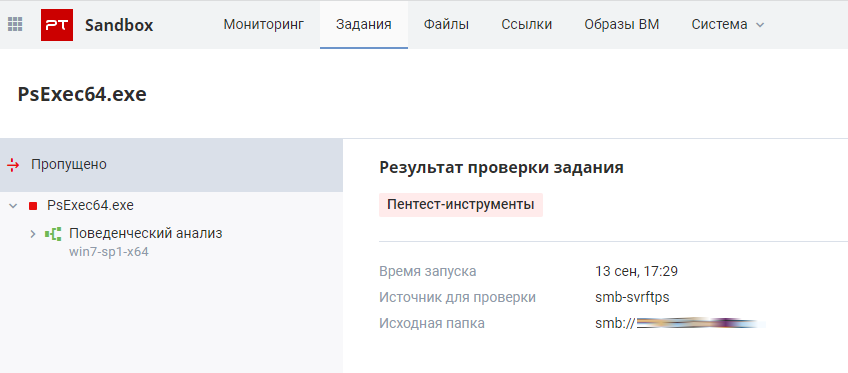
Penetration testing tools, although not malicious per se, can be used for criminal purposes, so their presence in the system may be a sign of intrusion. These tools can be used to exploit vulnerabilities, add new users and grant them additional access rights, extract and compromise accounts, or delete system log entries that indicate the presence of attackers in the infrastructure. The PT Sandbox pilots revealed such penetration testing tools as Empire, PowerSploit, and Mimikatz.
Empire is a framework used to control a victim's computer after infection. Although support for the original PowerShell Empire was pulled in 2018, the framework is still actively used by attackers, and other Empire family projects are being developed based on the original framework. PowerSploit is a PowerShell framework for executing code and gaining a foothold in the victim's system. It is a collection of scripts used to elevate privileges and extract user accounts. Mimikatz is a utility for extracting user passwords, password hash sums, and Active Directory tickets from memory. It allows attackers to carry out pass-the-hash Pass-the-hash is an attack in which an attacker exploits flaws in the NTLM or LTM protocols and steals a user password hash from one computer to gain access to another. and pass-the-ticket Pass-the-ticket is an attack in which an attacker steals a Kerberos ticket from one computer and uses it to access another. attacks to move laterally inside the network.
Penetration testing tools are often used to move laterally within the network perimeter. For example, Ryuk ransomware operators use several tools at once to carry out attacks: Mimikatz, PowerSploit, LaZagne, AdFind, and Bloodhound. The attack chain includes investigation of the domain and its administrators, search for available hosts, and collection and extraction of passwords from hash sums. At the final stage of an attack, criminals deployed the Ryuk ransomware using PsExec under the guise of compromised users. The PsExec utility was also detected by the sandbox during the pilot projects.
Malware downloaders and droppers
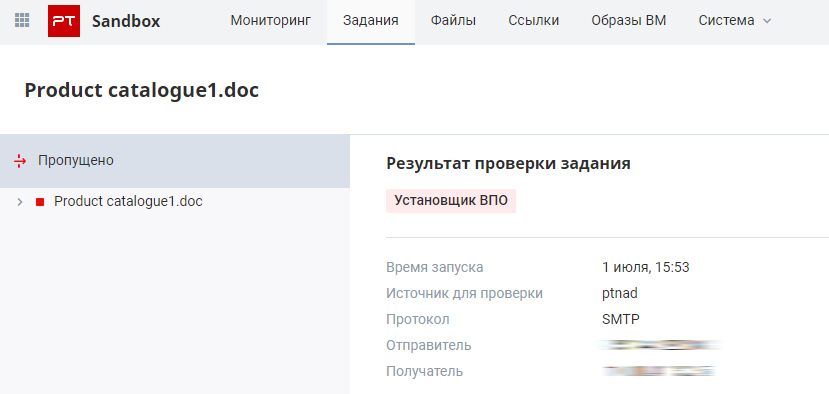
With the help of downloaders, other dangerous malware, including spyware, banking Trojans, backdoors, ransomware, and wipers, gets on infected devices. The role of downloaders is to collect information about the compromised host and then load additional malicious files from the network. Our pilot projects detected the popular downloaders BuerLoader and TrickLoader.
TrickLoader downloads and installs TrickBot, a modular banking Trojan with spyware functions. In early 2022, attackers distributed TrickBot to customers of more than 60 large organizations, including Amazon, Microsoft, and PayPal; the campaign was aimed at stealing user credentials.
BuerLoader is used to deliver the Ryuk ransomware and the Cobalt Strike Beacon penetration testing tool. In 2021 this downloader was spread through emails seemingly from DHL support. More than 200 organizations were affected. The messages contained malicious attachments masquerading as Office documents. The new downloader version delivered Cobalt Strike Beacon, but in some cases attackers used the downloader to gain a foothold in the system in order to sell access on the dark web.
Trojan droppers covertly install and run other malware in the operating system. For example, in our pilot projects we found malware droppers designed to remotely control Remcos, NanoCore, and Agent Tesla spyware.
Backdoors: hidden access to infrastructure
A backdoor is malware for remote control of computers. They give attackers control over an infected device. This enables them to tamper with the system: install and run programs, including other types of malware, execute arbitrary commands, and collect user information. The remote access tools we found included Mirai and NanoCore.
Mirai is a backdoor used by one of the first botnets. Currently, there are many variants of this family targeting a wide range of network-embedded devices, such as IP cameras, home and other IoT devices. This malware is mass-distributed around the world, and its operators often exploit trending vulnerabilities to do so. For example, in April 2022, attackers delivered Mirai using Spring4Shell exploits, and before that, criminals widely used exploits for the Log4Shell vulnerability.
NanoCore provides remote access to an infected computer. It is often used to steal information about victims, including passwords and emails. NanoCore also helps to activate computer webcams to spy on victims. The developers keep adding more features to the malware in the form of modules available for purchase. In 2021, the U.S. Cybersecurity and Infrastructure Security Agency (CISA) and the Australian Cyber Security Centre (ACSC) included NanoCore in the list of top malware strains. NanoCore is often delivered by email as an ISO image or a ZIP file.
Marked urgent
As for email traffic, malware was mostly encountered in emails that came in the morning hours (4:00 to 7:00 a.m.) and at lunchtime (1:00 to 3:00 p.m.). During these time slots, 23% and 17% of malicious emails were received and sent for scanning, respectively. This is the time when employees are most likely to check their mail: before the start of the working day and after lunchtime.
Most often attackers disguise their emails as price requests and messages regarding delivery of documents and goods. Less common were notifications about problems with accounts, requests to validate account information, and requests to clarify personal data or verify documents (powers of attorney, passport data). In 15% of emails on the subject of payment, senders demanded an immediate response or action, which is one of the signs of a malicious message. In almost all cases, "urgent" messages requested the recipient to confirm a payment or clarify payment details or prices for goods and services.
All messages found to be malicious were sent from external email addresses, and most of the sender domains seemed legitimate at first glance. Attackers can resort to email spoofing, an attack in which the sender address is spoofed to make emails look credible to recipients. For example, 4% of messages were seemingly sent from the dhl.com domain. This is the real domain of a well-known company, and criminals used it for spoofing to pass off their emails as harmless notifications. About 8% of the domains were very similar to legitimate ones, but their names contained errors that recipients could easily overlook, such as alingaero.com instead of alignaero.com and asp-airparts.com instead of aps-airparts.com. Some emails (2%) were sent from free mail services with the domains gmail.com, yandex.ru, and mail.ru.
More than a quarter of malicious emails (27%) contained fake authentication forms.
Detection techniques: how to identify malware In this section, we relied on the original sandbox verdicts, which depend on the functionality of the particular malware sample. Recall the example of different samples of the Agent Tesla malware family that could be detected as password stealing ware, spyware, Trojans, Trojan downloaders, or Trojan droppers.
The sandbox consists of several components, each of which contributes to the detection of malware, thereby distinguishing it from conventional antivirus tools. Any file that gets into the sandbox is scanned using different technologies; sometimes several sandbox components signal that a file is malicious.
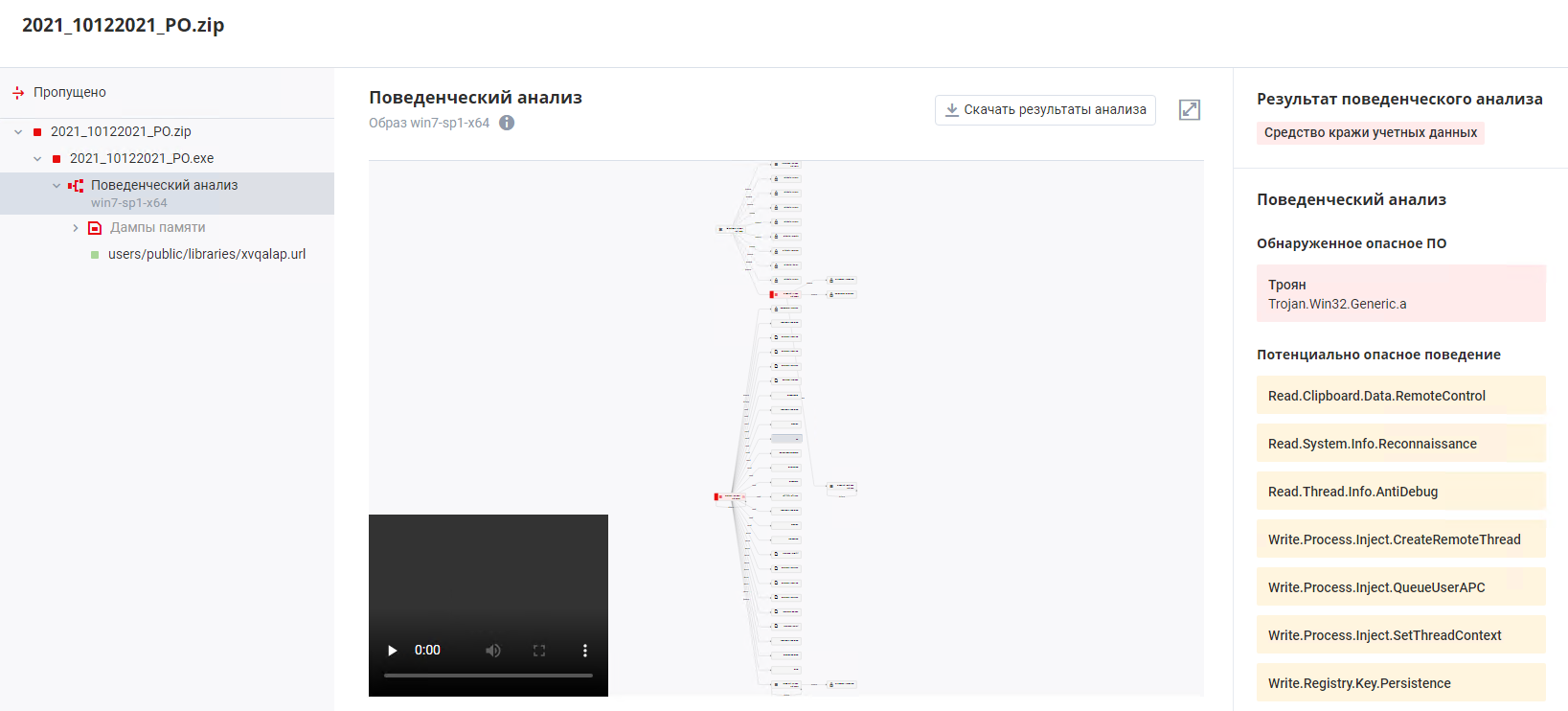
Antivirus modules were able to detect malware in 78% of cases; this component performs a multi-threaded analysis of files using a set of third-party antivirus programs. Behavioral and static analysis are based on rules from the Positive Technologies Expert Center knowledge base. The behavioral and static analyzers signaled a threat in 40% and 15% of cases, respectively. During behavioral analysis, PT Sandbox runs a file on a virtual machine and records its behavior, including launch of processes, Internet requests, and modifications of RAM or the system registry. Static analysis is a file scan using the proprietary technology of Positive Technologies Expert Security Center (PT Expert Security Center).
On rare occasions, it was possible to identify malware based only on an analysis of various artifacts created by the file. For example, additional analysis could be performed on a process memory dump or specific files remaining after the program had run.
To detect malware, all the sandbox components are important: one component may signal malicious activity, while for others, a file might seem innocuous. Almost every malware class contained malicious tools that were detected using only one technology; two or more technologies were simultaneously triggered only in 31% of cases. Antivirus components were triggered quite often: after all, many popular malware samples had already been studied and included in antivirus databases.
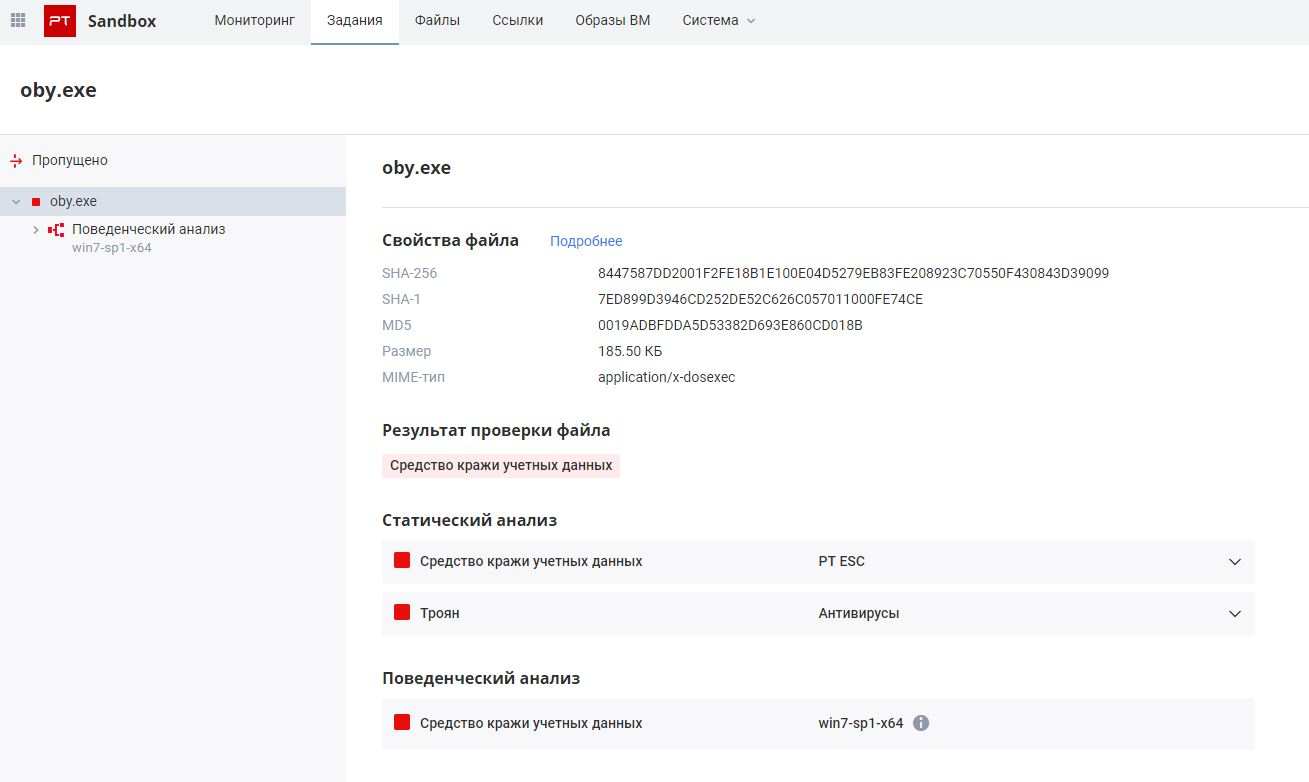
However, for certain classes of malware, the behavioral analyzer proved to be the most effective detection tool, indispensable for identifying new threats. It was the behavioral analyzer that helped detect password stealing ware in 88% of cases and banking Trojans in 100% of cases. These malware samples were either well packed or obfuscated, or they were new versions of malware whose signatures had not yet been entered into antivirus databases.
The static analyzer played a major role in detecting malware droppers and penetration testing tools: 12% of malware droppers were detected only thanks to this component.
Conclusion
During the pilot projects, malware was detected at all the companies. Spyware and password stealing ware were the most common malware, but other dangerous tools were also detected. These malicious tools can lead to unacceptable consequences for companies. For example, spyware can cause leaks of confidential information; compromised employee credentials can be used to develop an attack inside the infrastructure or sold on the dark web to other attackers; a malware downloader can infect devices with ransomware, banking Trojans, and remote control malware. All this can lead to disruption of crucial work processes, disruption of infrastructure and customer services, fraudulent transactions, attacks on customers, and other negative consequences. This is why it is important to identify threats at an early stage, as soon as malware tries to penetrate a device. To timely detect malware and prevent dire consequences, it is necessary to use various technologies. Conventional antivirus tools may not always detect malware, especially in the case of an unknown threat, but additional analytical methods, such as behavioral analysis, significantly increase the odds of detection.